Ge.tt

11/30/2010

0 Comments

 
Picture
Share your files online without registering! No size limit….Click the file….and share it!

I have shared a file with all of you. JUST CLICK HERE! It will expire in 30 days if you don’t sign up for an account. This is a great tool for students and teachers!
Watch the presentation from their website!

 

Capzles

11/29/2010

0 Comments

 
Picture
Capzles allows you to create a rich multimedia presentation that can encapsulate video, images, music, and documents. It’s free and easy to use. I like that my “Capzle” can be private, semi-private or public. It can also be accessed by smart phone and has geo-tagging capabilities. This would be a great tool to use when traveling. Here is a great example………… The Best of Asia
 
 
Picture
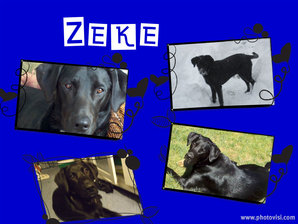
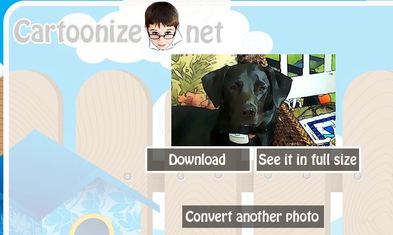
Create a free and easy photo Collage with Photovisi. I created a photo collage of my dog Zeke in just five minutes. I like the fact that I can keep my collage private as well. This tool will come in handy for documenting field trips to the museum or field trips in general. I was also thinking about using it as a design tool with my graphic design students. Here is a link to a very nice example of images with quotes.


This Is Just cool!
 
 
Picture
Glitterboo makes your photos and images twinkle. Upload an image and add many different effects. I really like the animation effects the best. What a fun site! I can’t wait to try it with my students.  


Picture
Picture
Many great sites are out there that offer images for free use in the public domain. As a classroom teacher it’s very important to discuss copyright issues in relation to image use with students. The following resources that I have included are excellent.Try them out!

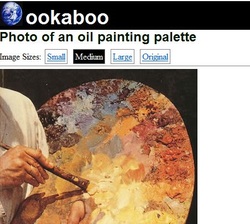
Ookaboo is easy to use and advertises itself as a place for free pictures of everything on earth!

FreePik is just as comprehensive and allows you to search for vector as well as photo images. My students have enjoyed this site.

Creative Commons is a comprehensive site that searches multiple images.

Imgur is new and requires registration but it looks awfully easy to use.

Wylio is my complete favorite! It searches for the copyright free image and allows you to edit it right at the site. It will also generate code to be embedded on your website or blog.


Picture
Between The Folds is a film clip about papermaking and then actually creating origami sculptures from that specific handmade paper. The link has so much more than just a clip from the PBS film “Between The Folds” There is a link to the history of origami, an interactive that is based on origami folding techniques, and information on specific origami artists.


Picture
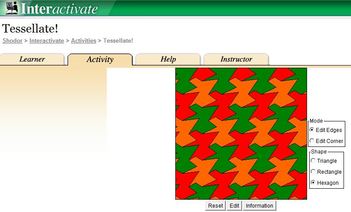
Tessellations are a beautiful melding of math and art and students enjoy creating them. Every time my students have fashioned tessellations we have learned about amazing new resources, new procedures to make it easier….or another new interactive that has popped up on the internet. Tessellate within Shodor, one of these interactive sites, is fun and easy to use. Shodor is a comprehensive visual interactive resource for math educators that I recently found out about on the Teachers First website. There is an easy to understand how to with visual directions. Try it out.

Here are a few other resources that I have found for creating tessellations.

Jo Edkins…create Tessellations

Tessellations.org…comprehensive with many examples

Thinkfinity Illuminations site has an excellent Tessellation creation tool.
 

Qwiki

11/19/2010

0 Comments

 
Picture
Qwiki is the most unusual creative search engine I have experienced lately. It’s a brand new search engine that spits out visuals, video, and information via…… telling a story. It actually talks to you while producing a visual experience that is quite unique.             "Qwiki will power many products via a platform that turns information into an experience"quoted from their website

It’s new and still in Apha so you have to request an invitation to use it, but they send it quite fast. I got mine within 15 minutes.
Picture
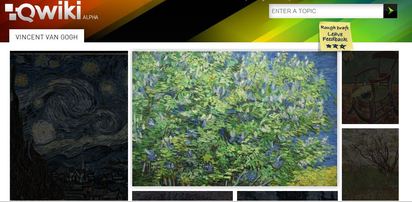
I put in a search for Van Gogh and…..this is what I got visually. Make sure you have your sound turned on when you search.